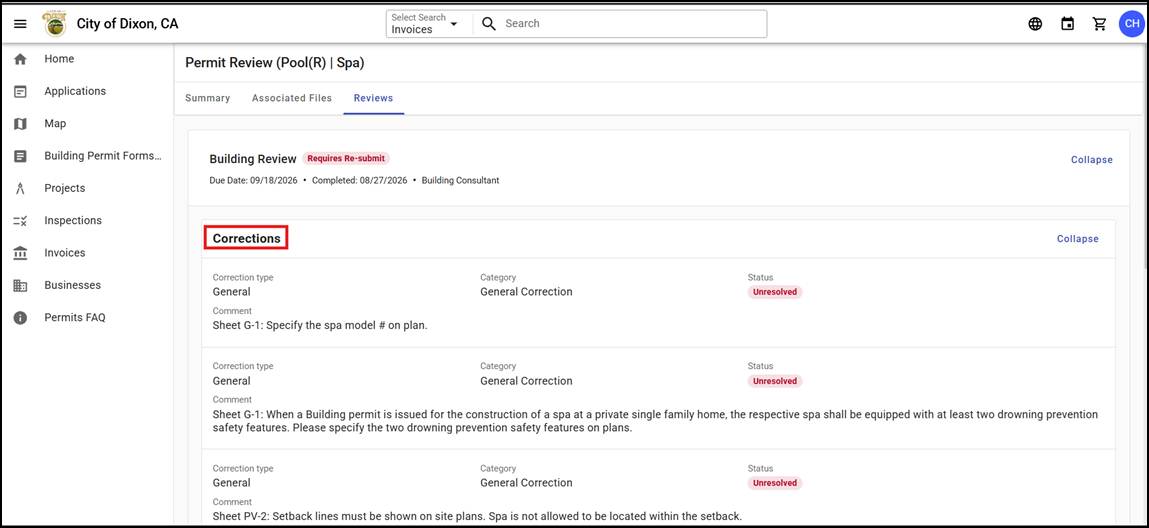
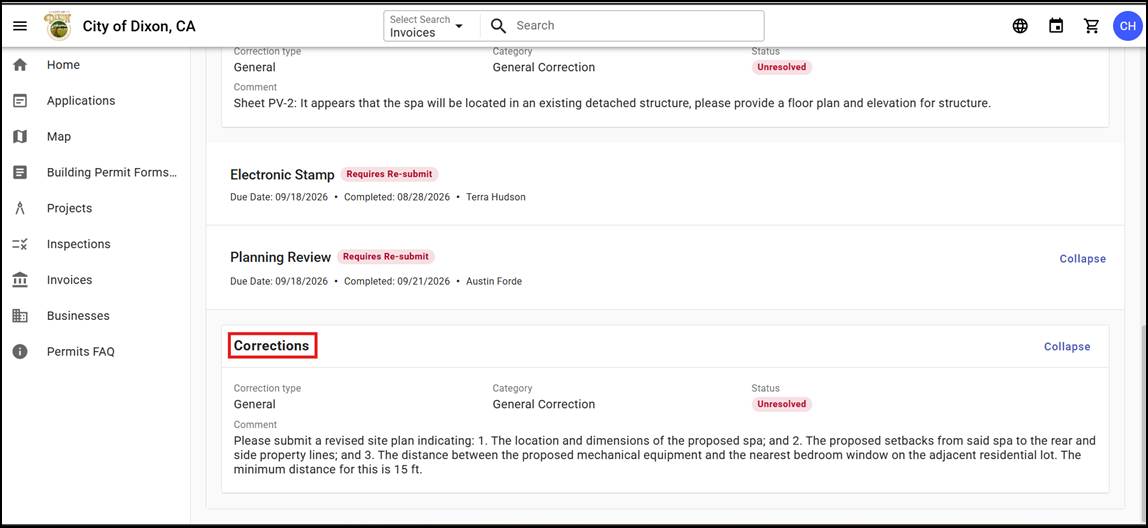
How to find Review Comments
1.
Log
in to your Civic Access account
2.
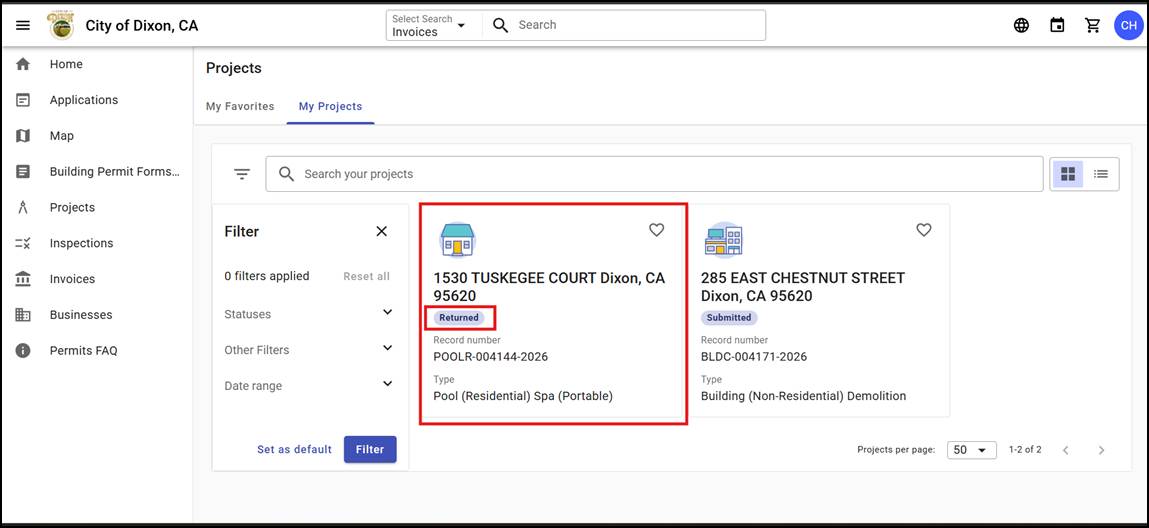
Navigate to your desired permit
a.
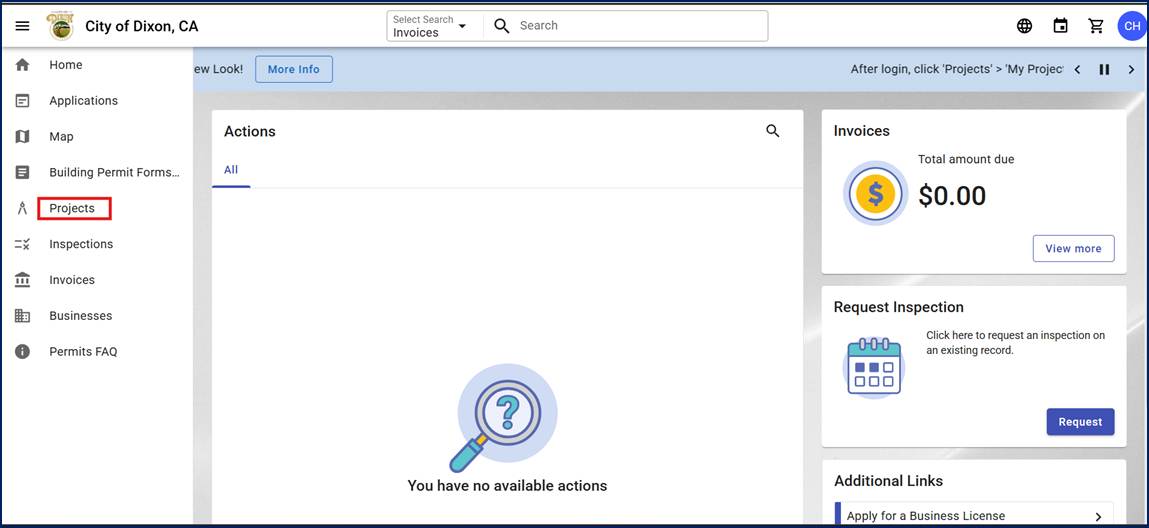
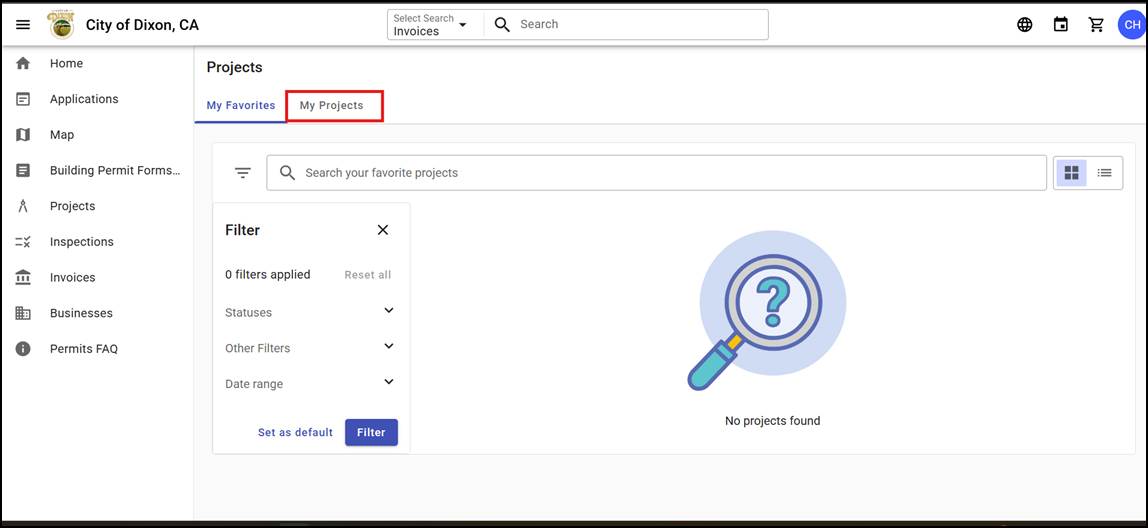
Projects
> My Projects > Select Permit
3.
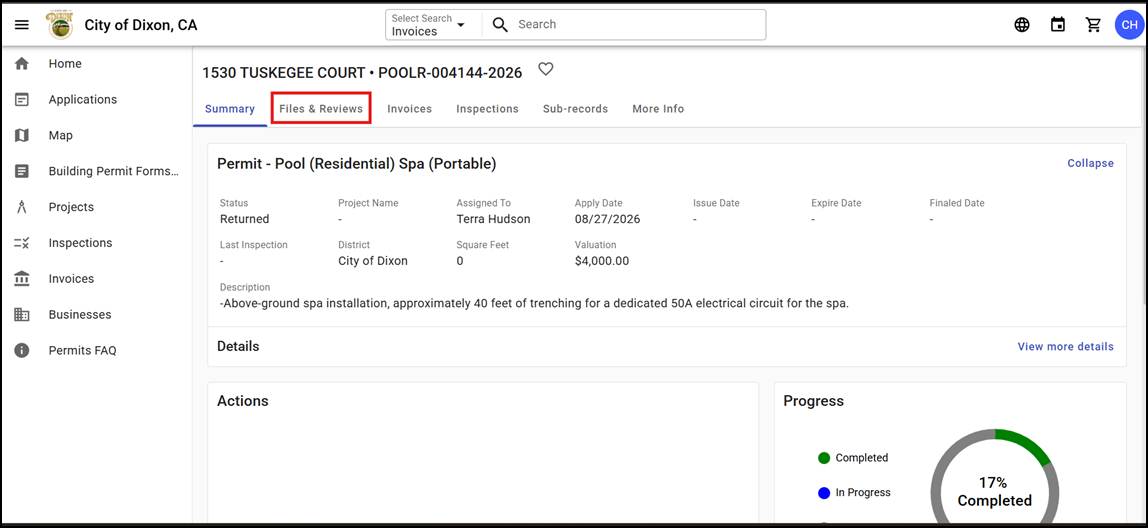
Within
your permit, next to the "Summary" tab, click on the "Files
& Reviews" tab.
4.
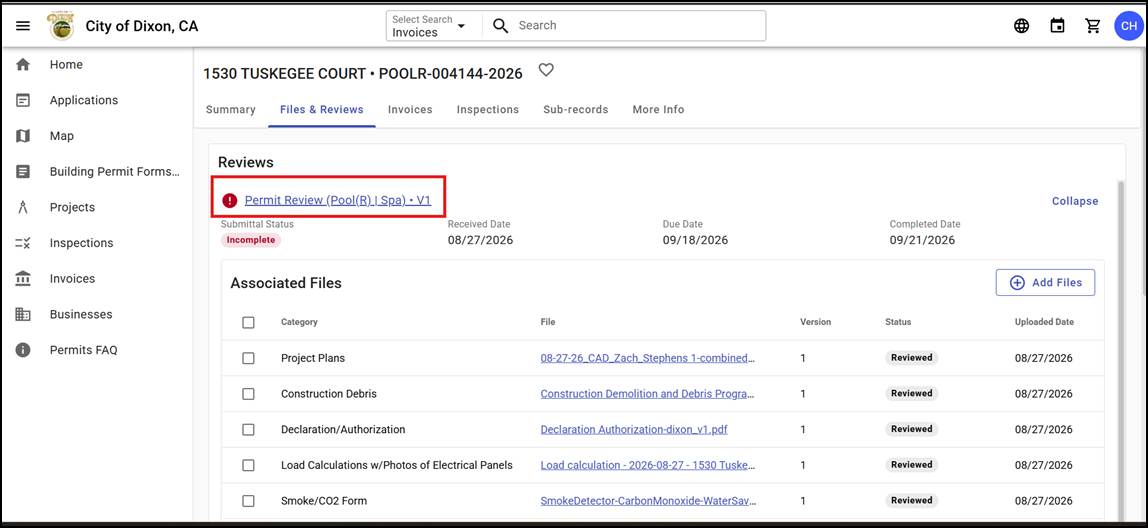
Below
the header Reviews, if you have any reviews, you can click the link and it will take you to the desired review.
5.
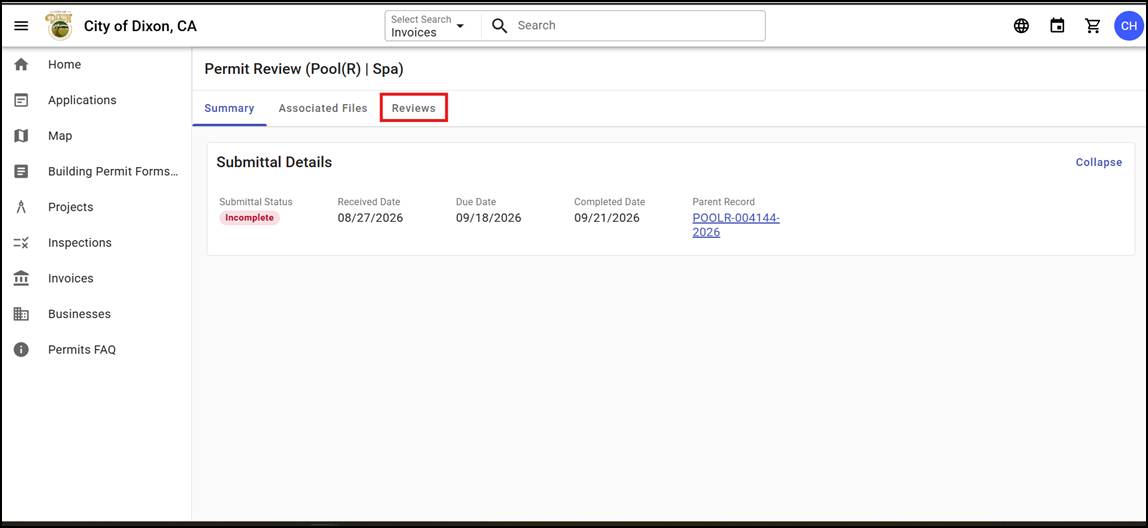
Within
the Review, click the tab labeled "Reviews"
6.
From
there you can scroll down and view the comments made on specific review items.